HAHome is the native Apple app your Home Assistant deserves.
Control lights, climate, covers, media, security and more — all with a design that feels right at home.
Built from the ground up as a native Apple app — fast, intuitive, and always up to date.
⚡
Real-time Updates
WebSocket connection keeps every device status live. Toggle a light and see it respond instantly — no polling, no delays.
🏠
Room Organisation
Group entities by room with custom names and wallpapers. Get a sensor summary at a glance before you even open the room.
🔋
Energy Dashboard
Visualise solar, grid, battery, gas and water in a live energy flow diagram. Track hourly usage with beautiful charts.
🎨
Make It Yours
Pick from 19 app themes — including Adaptive Themes that automatically switch between light and dark variants to match your system appearance. Set unique wallpapers per room, choose custom icons, and fine-tune colours to match your style.
🔒
Secure & Private
Credentials are stored in the iOS Keychain. OAuth with PKCE and Trust-on-First-Use certificate pinning protect your connection. No third-party servers involved.
📤
Layout Sharing
Share your home layout with up to 9 people via an encrypted invite link. Choose exactly which entities each person can see.
☁️
Weather at a Glance
A weather widget in the toolbar surfaces your Home Assistant weather entity right where you need it, without leaving the app.
📱
iPhone & Mac
One purchase, two platforms. HAHome runs natively on iOS and macOS with an experience tailored to each screen size.
🌍
Multiple Languages
HAHome speaks your language. Available in English, Dutch, French, German, Spanish, Italian, Portuguese, Polish and Swedish.
See It In Action
See it in action.
A glimpse of what's waiting for you.
Home Dashboard
Your entire smart home at a glance — weather, favourites, live camera feeds, and room tiles with device status summaries.
Light Control
Drag the brightness slider and pick a colour temperature preset. Smooth, responsive control for every light in your home.
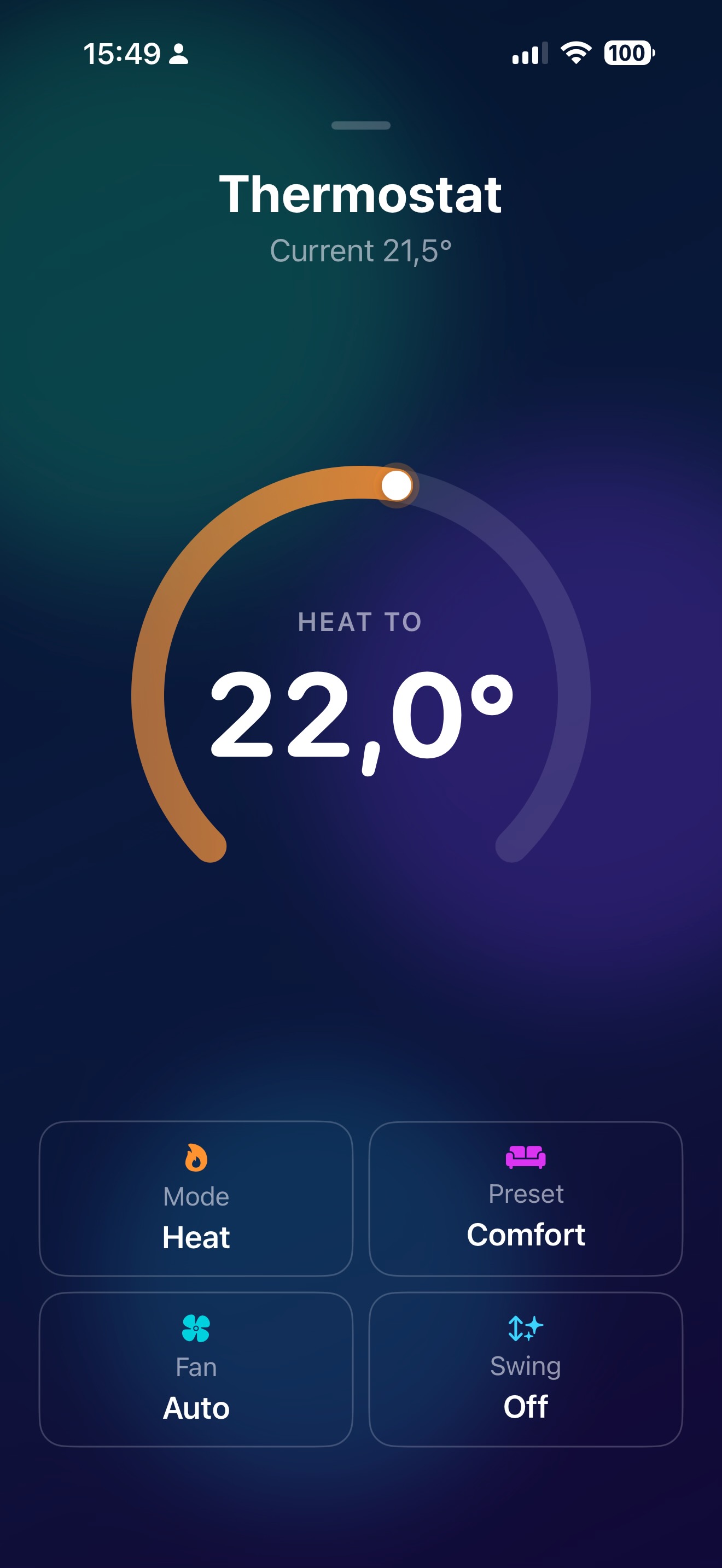
Climate Control
An interactive temperature dial with HVAC mode, preset, fan speed and swing controls — all on one screen.
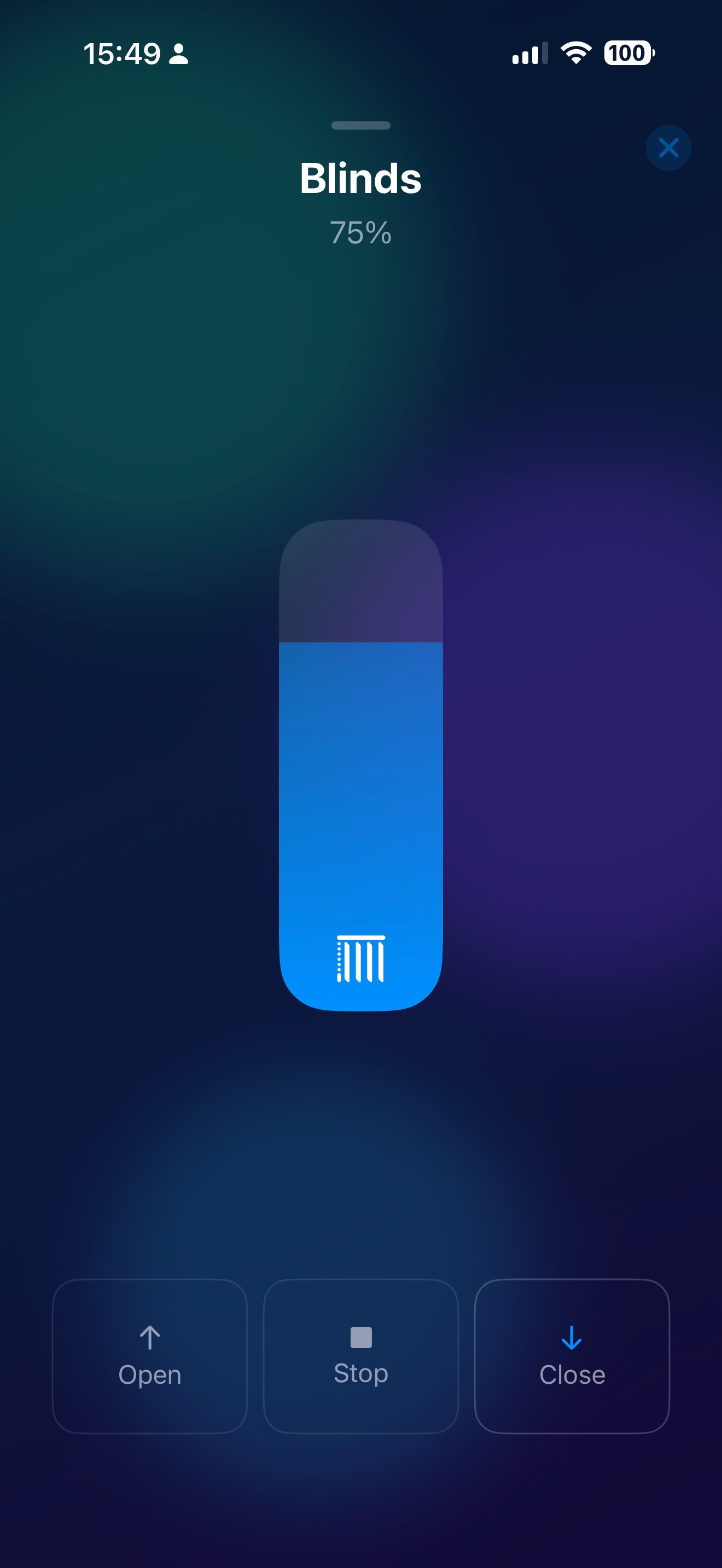
Blinds & Covers
Set the exact position with a slider, or tap Open, Stop and Close for quick control of blinds, shutters and curtains.
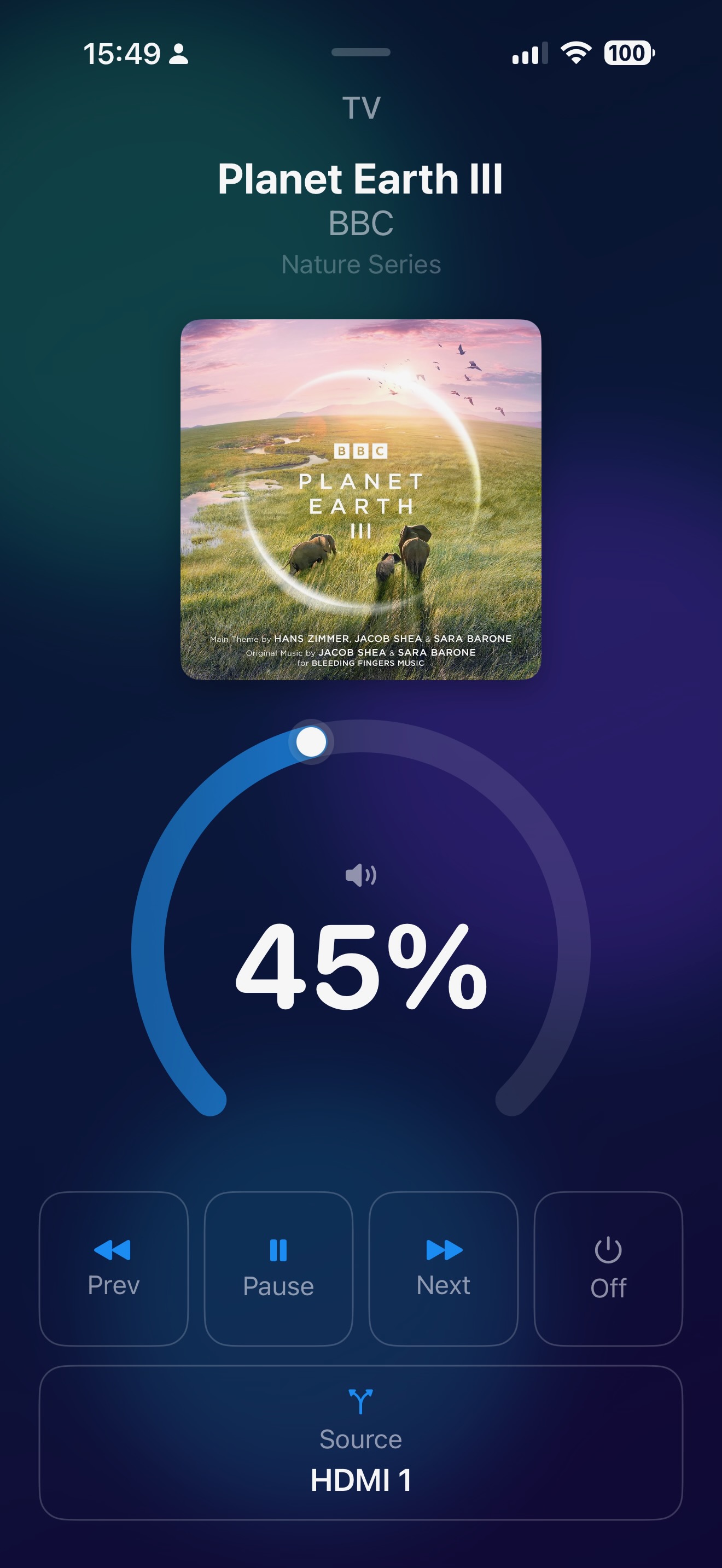
Media Player
Album art, a circular volume dial, playback controls and source selection — a full remote for your TV and speakers.
Fan Control
Adjust speed with a slider, pick a preset mode and toggle oscillation — everything you need for fans and air purifiers.
Alarm Panel
Arm and disarm your home security with one tap. Supports Away, Home, Night and Vacation modes.
Person Tracking
See where household members are on a live map powered by Apple Maps — right from your home dashboard.
Customise
Make it yours.
Pick your entities, choose a theme, set up rooms with custom wallpapers, and integrate your music library.
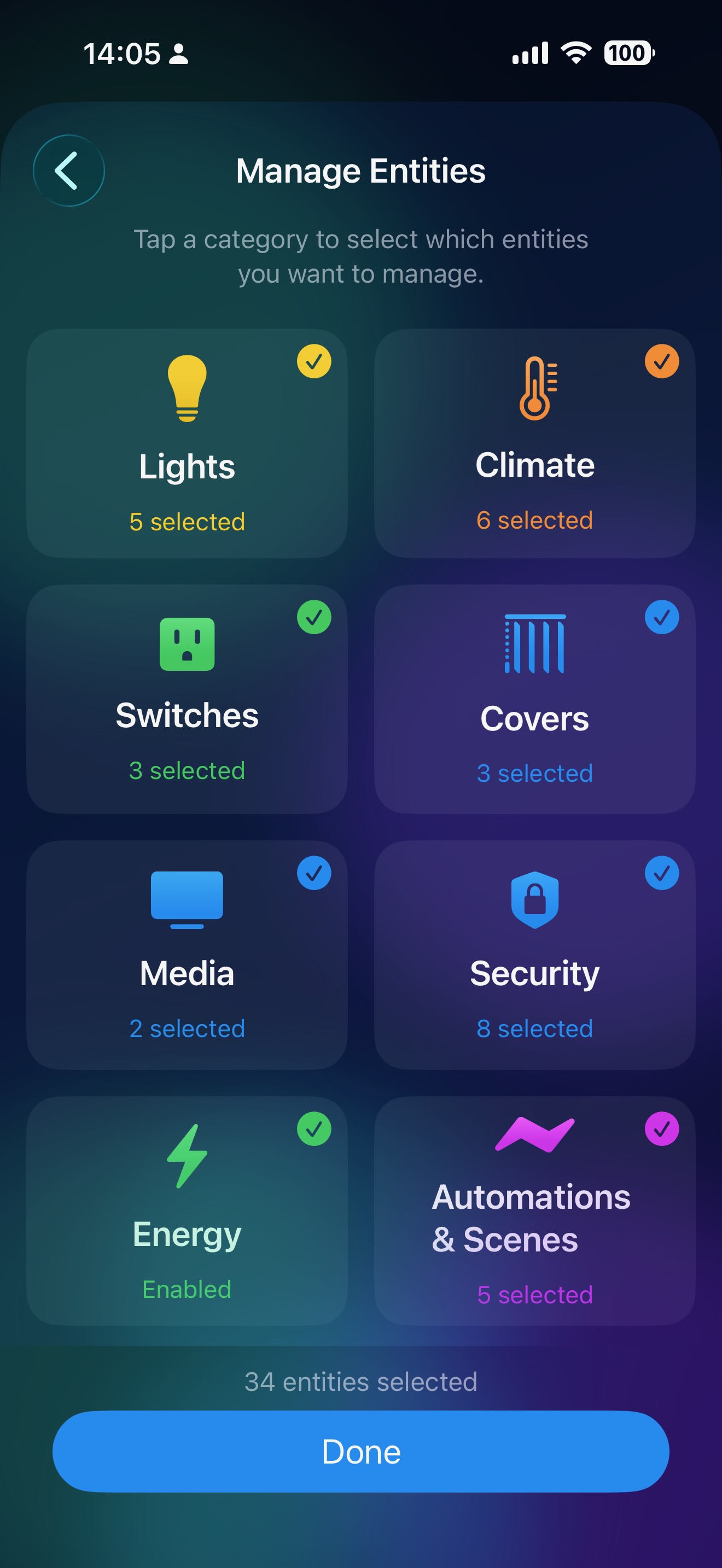
Manage Entities
Tap a category to pick exactly which entities you want to manage. Lights, climate, switches, covers, media, security, energy and automations — all in one place.
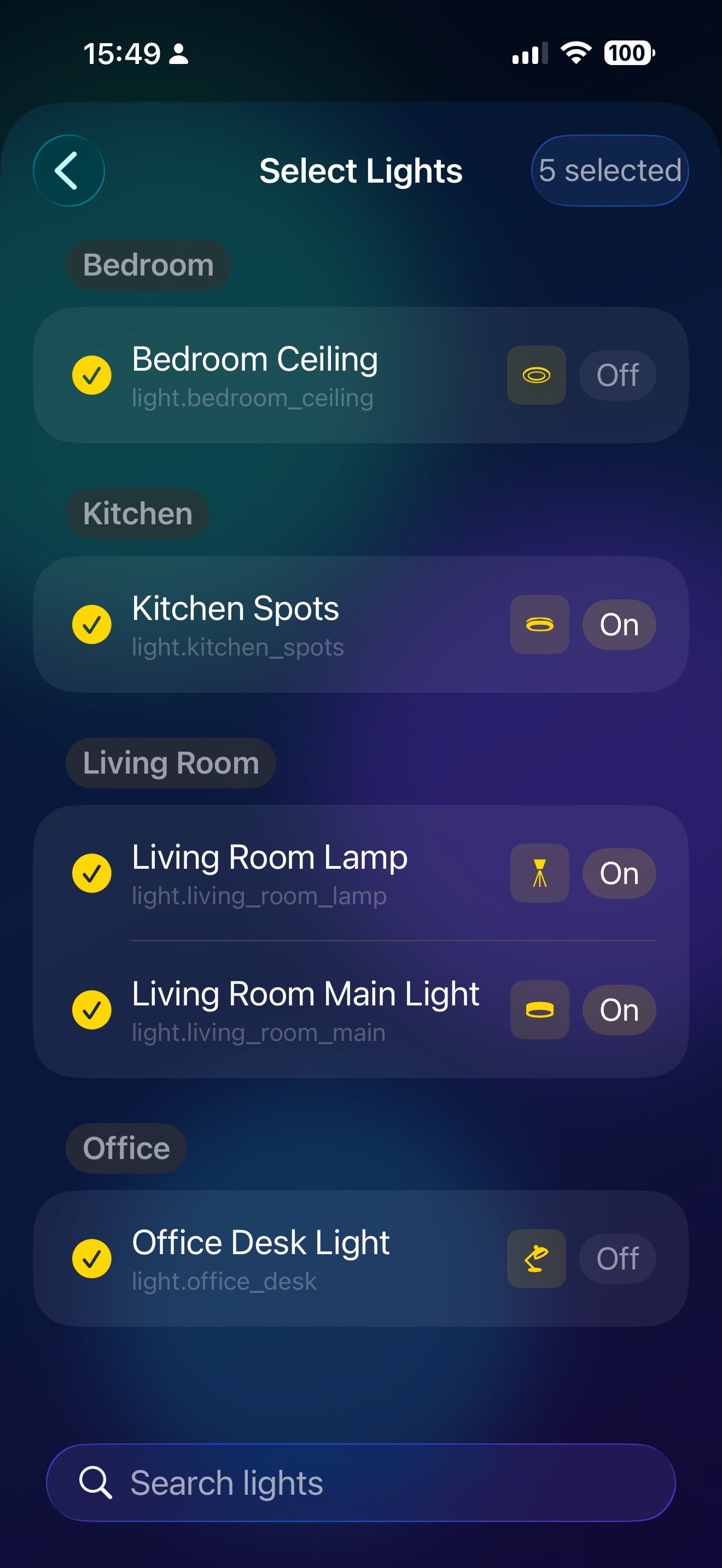
Select Lights
Browse your lights grouped by room, see their current state and custom icon, and check the ones you want. A search bar at the bottom makes it easy to find any light.
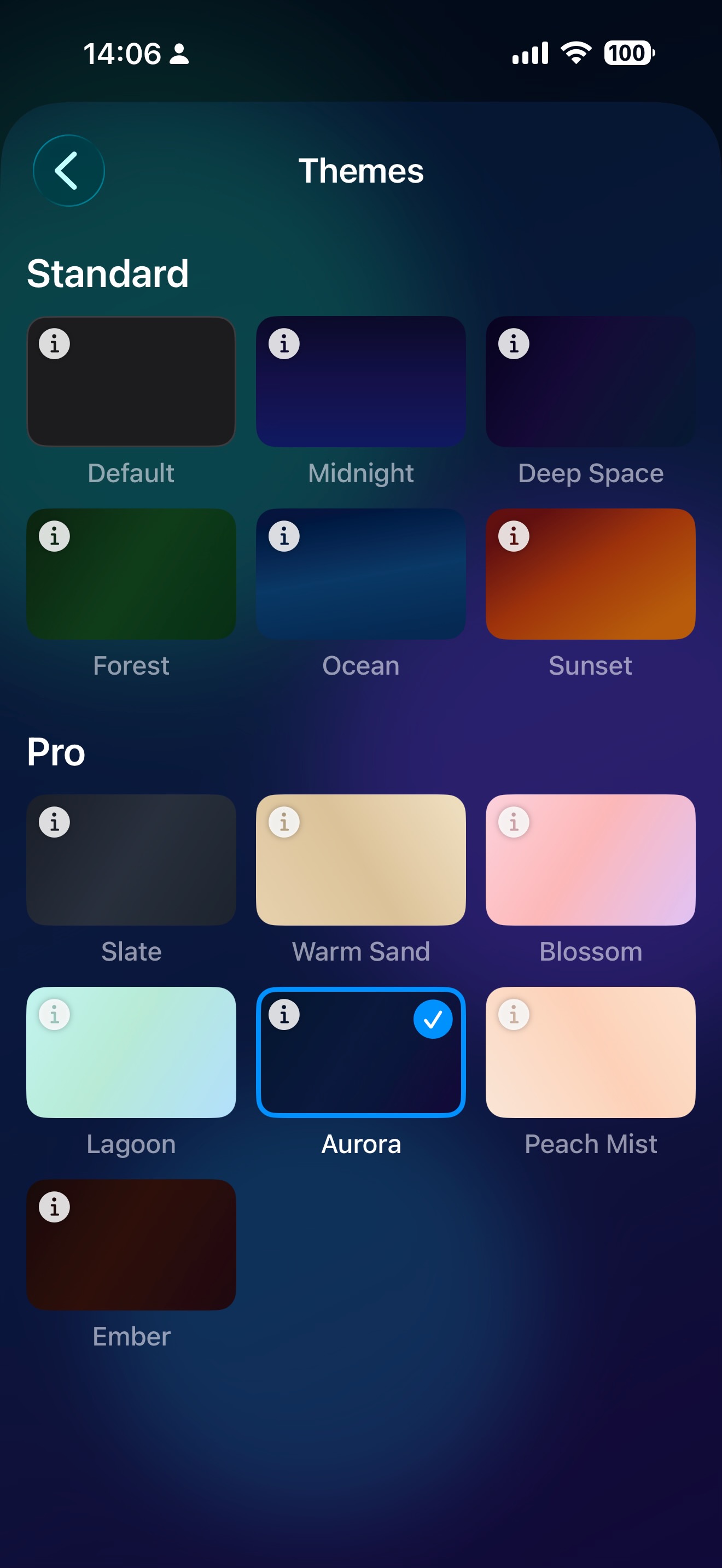
Themes
Choose from 6 free and 13 Pro themes, including Adaptive Themes like Vibrant and Prism Shift that automatically serve light or dark variants based on your system appearance. Each theme transforms the entire app with a unique colour palette.
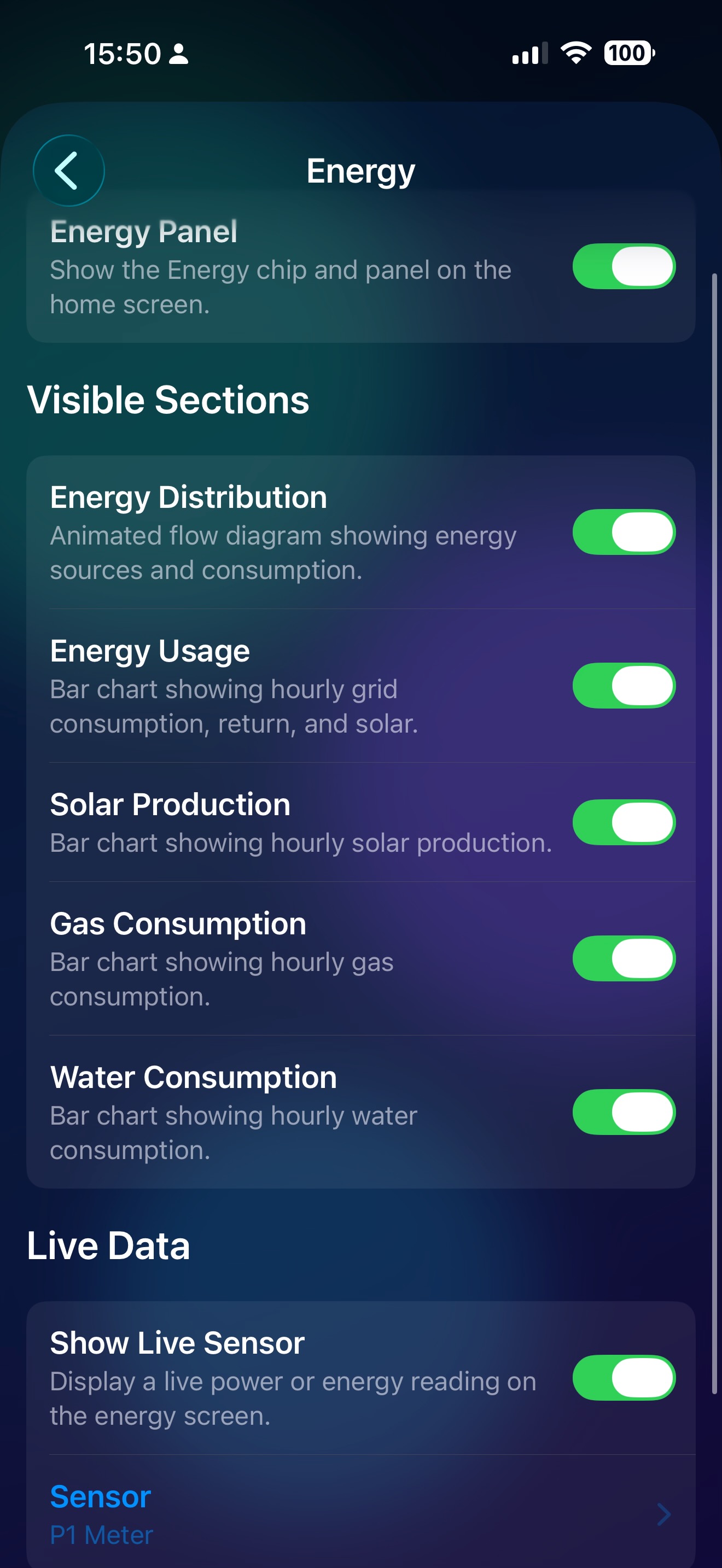
Energy Configuration
Toggle individual energy sections on or off, connect a live power sensor, and choose exactly which charts appear on your energy dashboard.
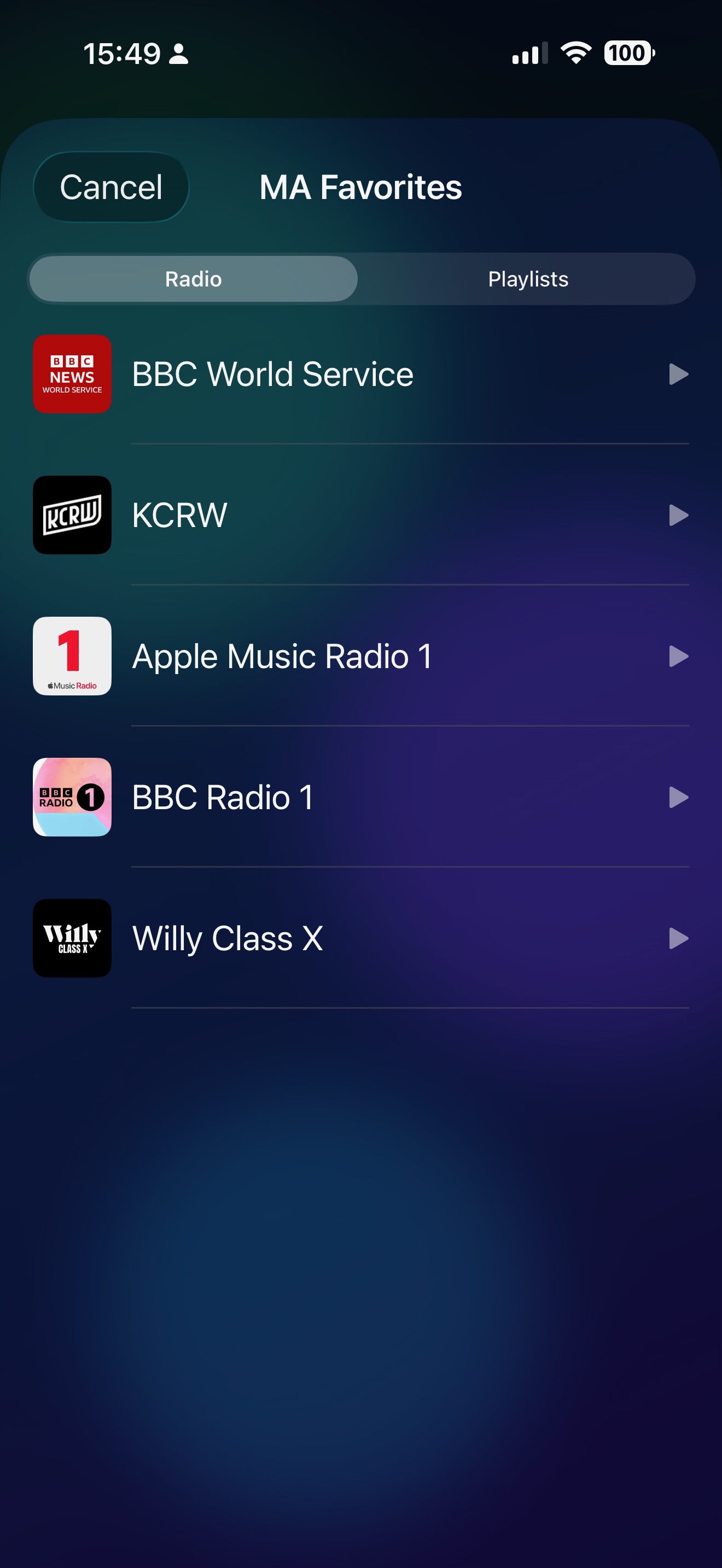
Radio Stations
Browse your favourite radio stations with artwork and tap play to start streaming instantly to any connected speaker or TV.
Playlists
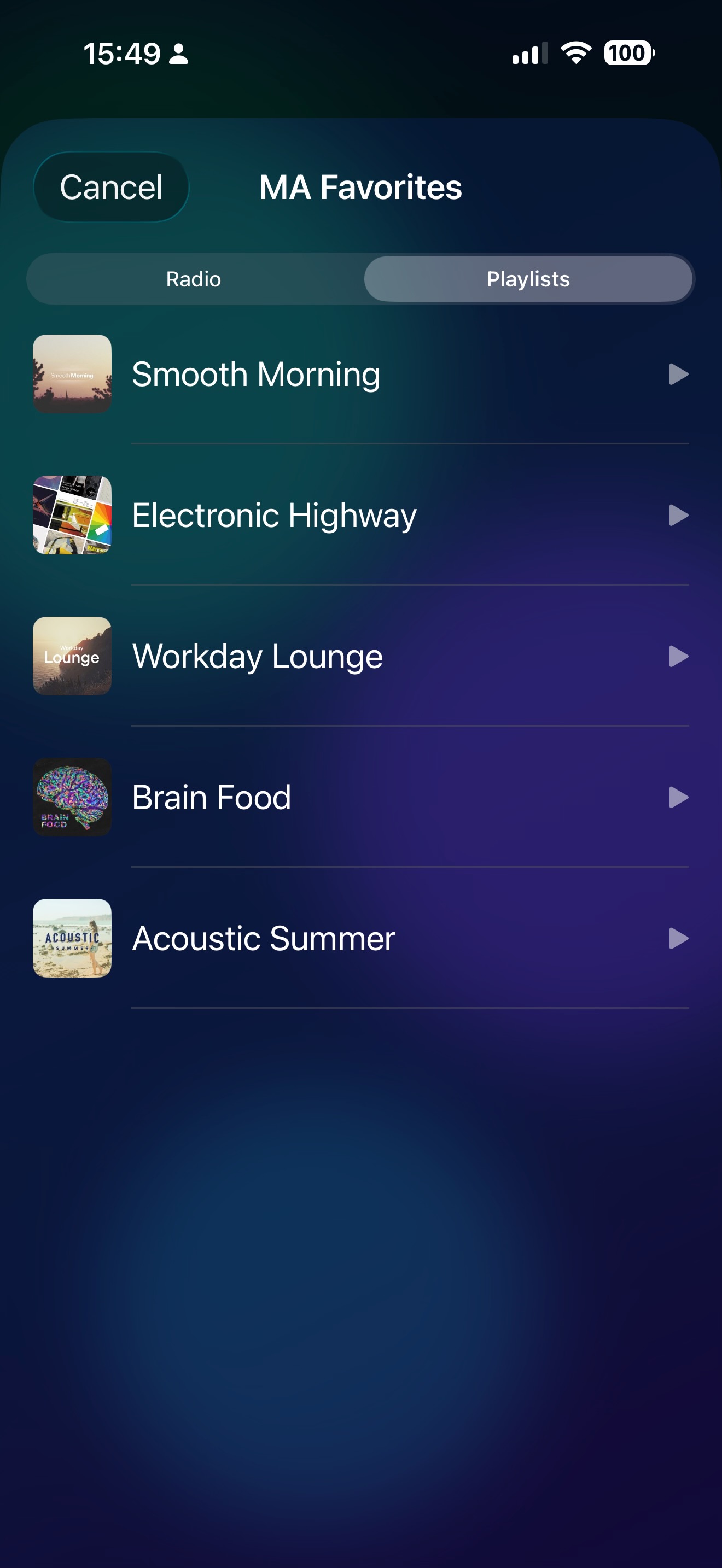
Switch to the Playlists tab to see your saved playlists with cover art. Tap any playlist to start playing it on the selected media player.
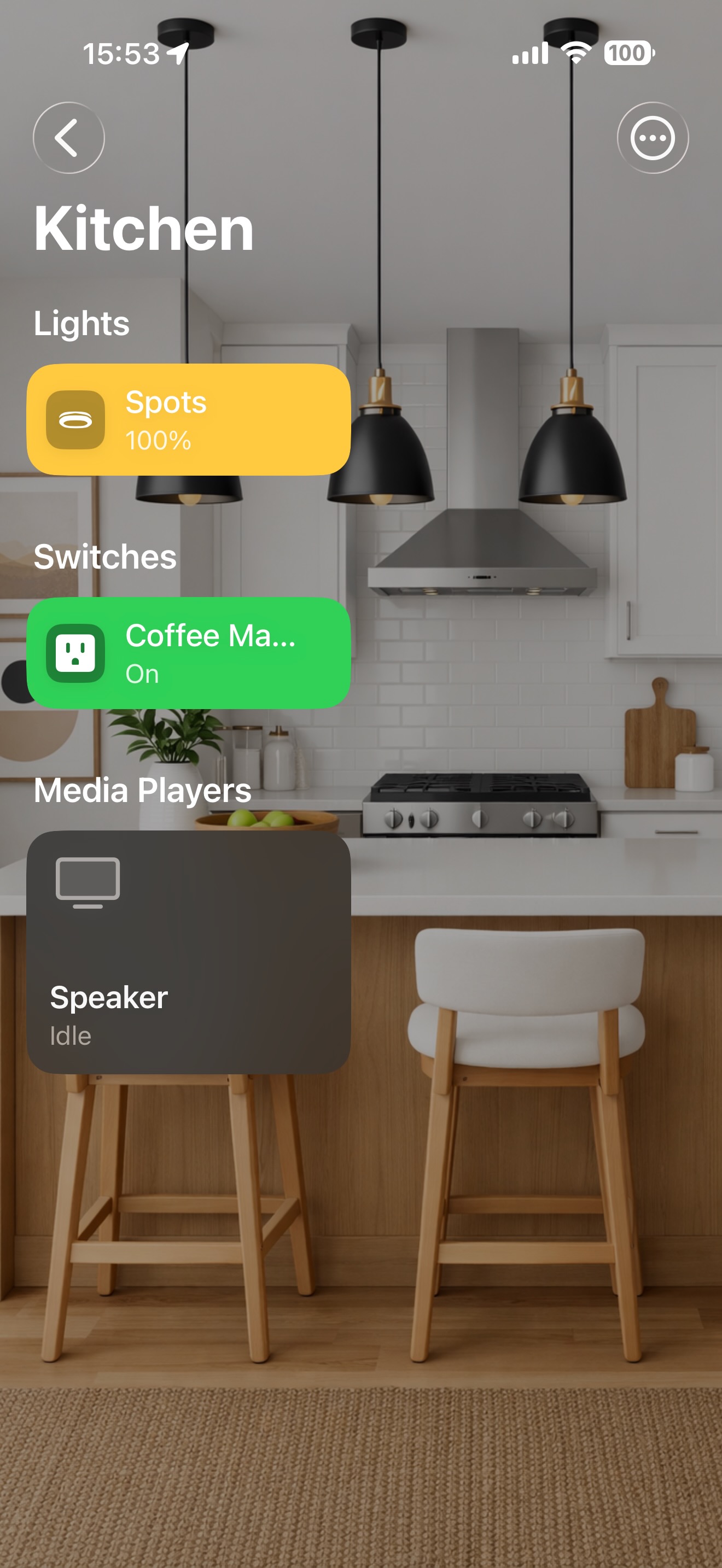
Kitchen
A kitchen photo wallpaper with lights, switches and media players layered on top — control everything without leaving the room view.
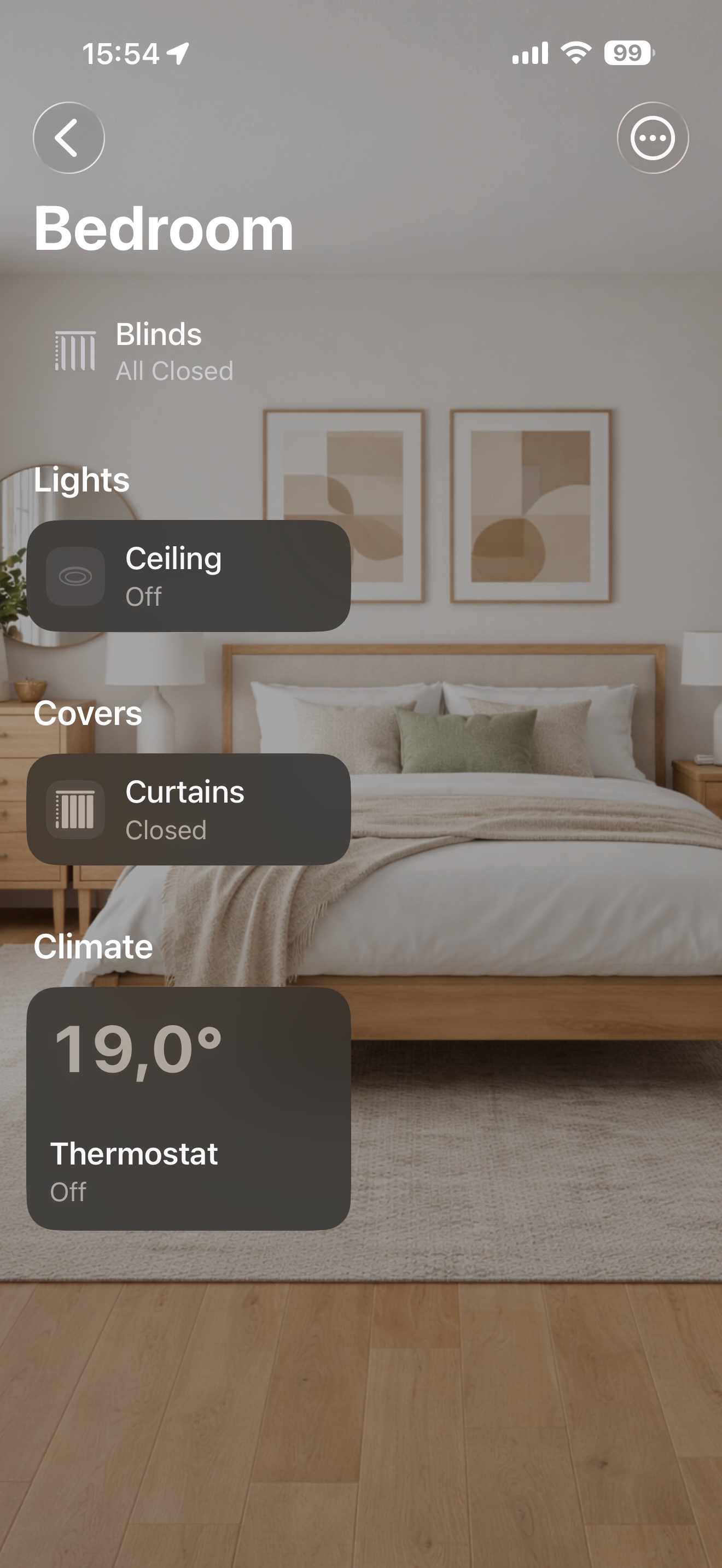
Bedroom
A cosy bedroom background with ceiling light, curtains and thermostat at your fingertips — plus a sensor summary at the top.
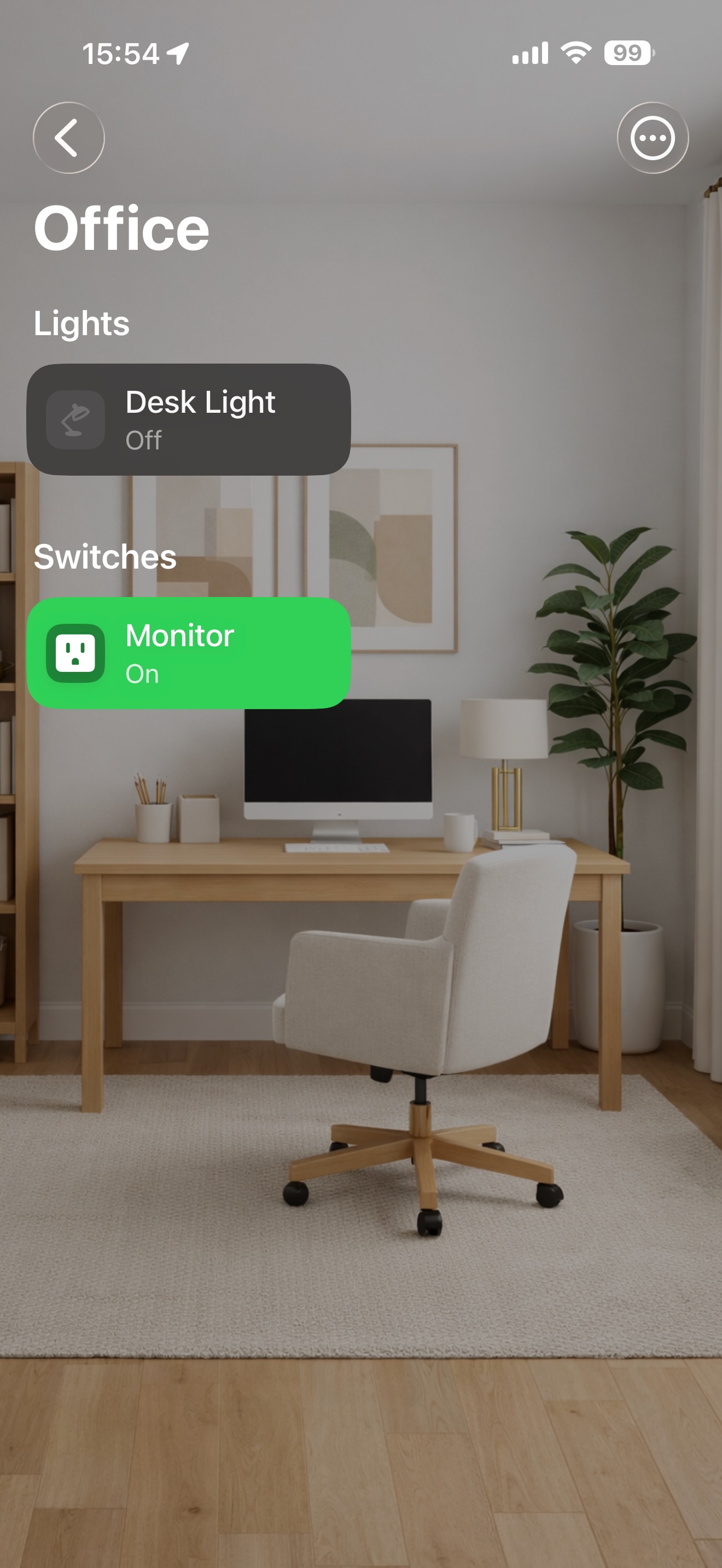
Office
A clean office wallpaper with desk light and monitor switch. Each room shows only the entities that belong there.
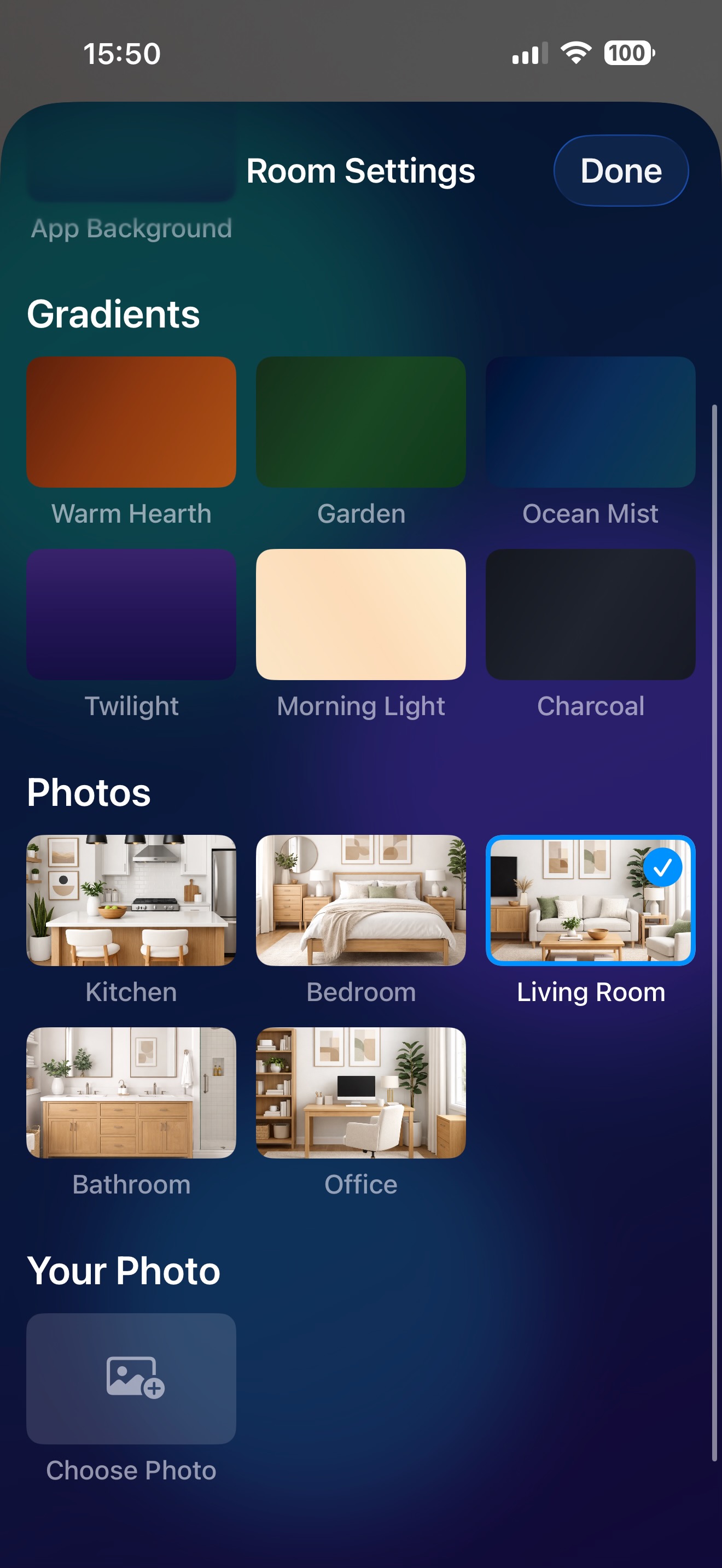
Background Picker
Choose from colour gradients, built-in room photos, or upload your own image to make every room feel unique and personal.
What you can control
Every corner of your home.
HAHome speaks Home Assistant's language across all major device categories.
💡
Lights
Toggle, dim, change colour temperature and set effects. Long-press for full detail controls.
🌡
Climate
Interactive temperature dial, HVAC modes, presets, fan speeds and humidity sensors.
🪟
Covers
Open, close and position blinds, shutters, curtains and garage doors with precision controls.
📺
Media Players
Playback, volume, source selection and seeking. Full remote control for your TV and speakers. Music Assistant integration lets you browse and play favourite radio stations and playlists.
🔌
Switches
One-tap toggles for smart plugs, relays and any on/off device in your setup.
🌀
Fans
Speed control, preset modes and oscillation toggle. Includes air purifier support with dedicated controls.
🛡
Security
Live camera streams, door/window sensors, motion detectors and alarm panel arm/disarm.
⚡
Automations & Scenes
Trigger automations, run scripts and activate scenes with a single tap.
🔋
Energy
Solar, grid, battery, gas and water monitoring with live flow diagrams and hourly charts.
Energy Dashboard
Your home's energy, visualised.
Track every watt, cubic metre and drop — all in one place. Navigate between days to compare usage over time.
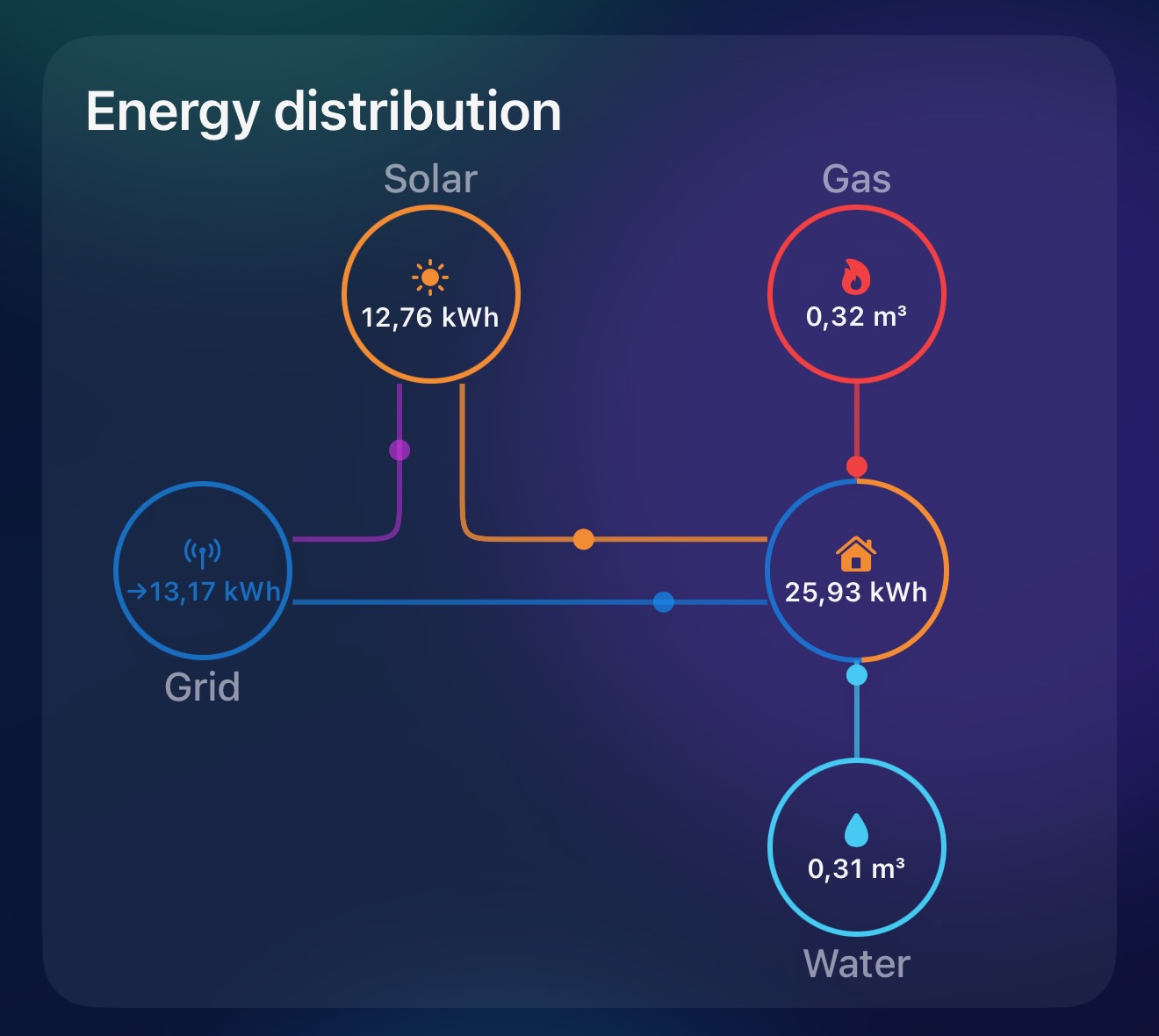
Energy Distribution
A live flow diagram showing how energy moves through your home — from solar panels and the grid to your house, gas and water. See exactly where your energy comes from and goes.
Intelligence
Your home, explained by AI.
HAHome brings AI to your smart home — on-device with Apple Intelligence, or with your own API key for Claude (Anthropic), ChatGPT (OpenAI), or Gemini (Google).
Free
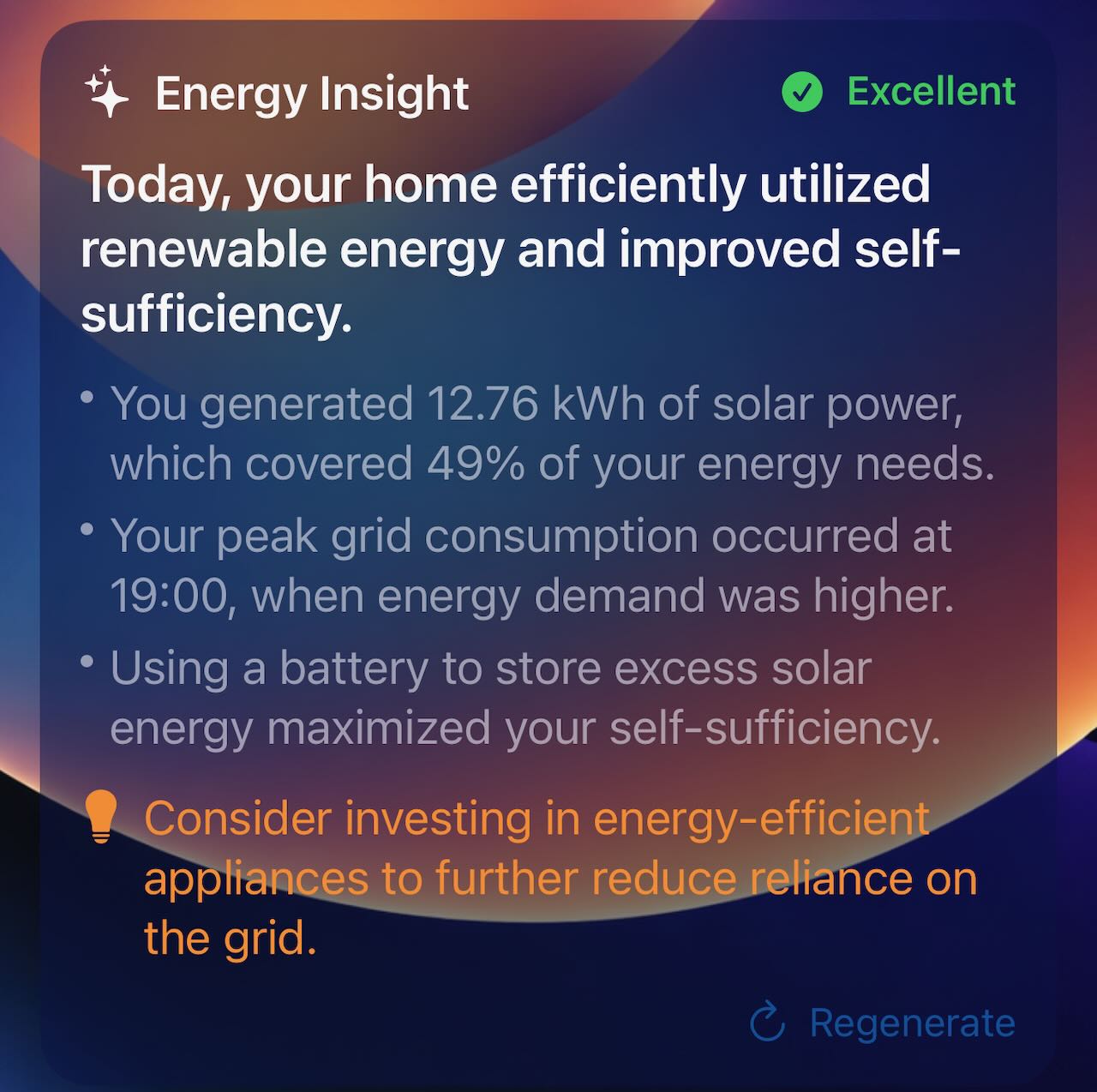
Energy Insights
Get an AI-generated daily energy analysis — a headline, key observations, an actionable tip to reduce consumption, and an efficiency rating. All processed on-device, no cloud needed.
Pro
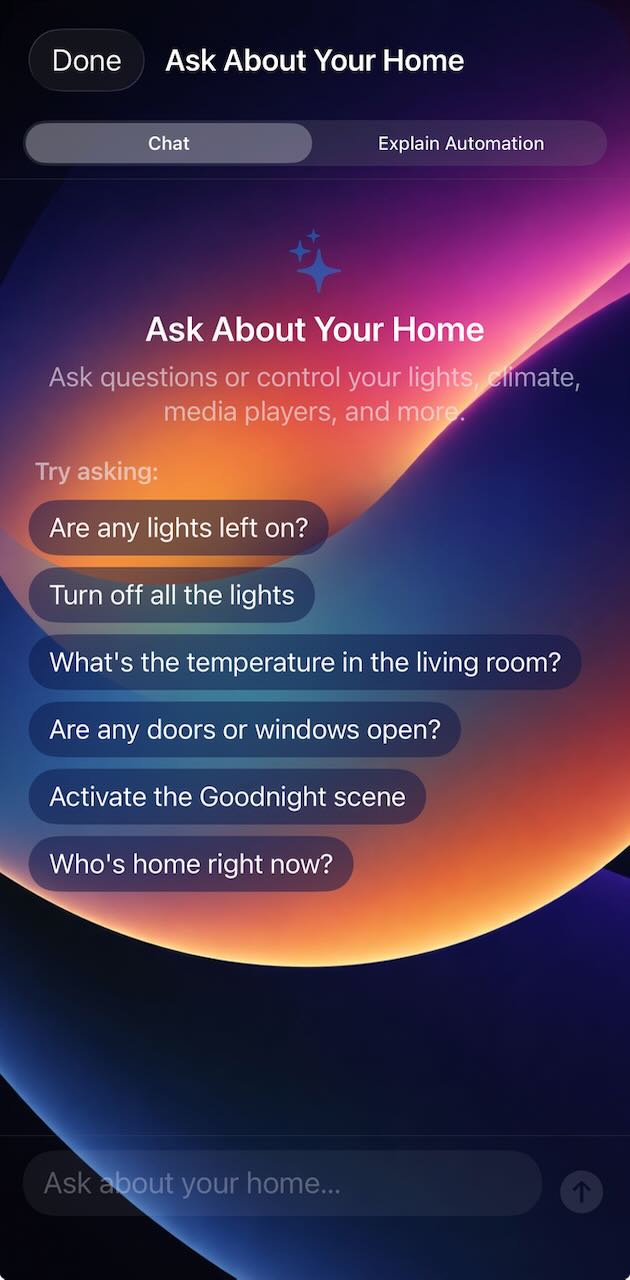
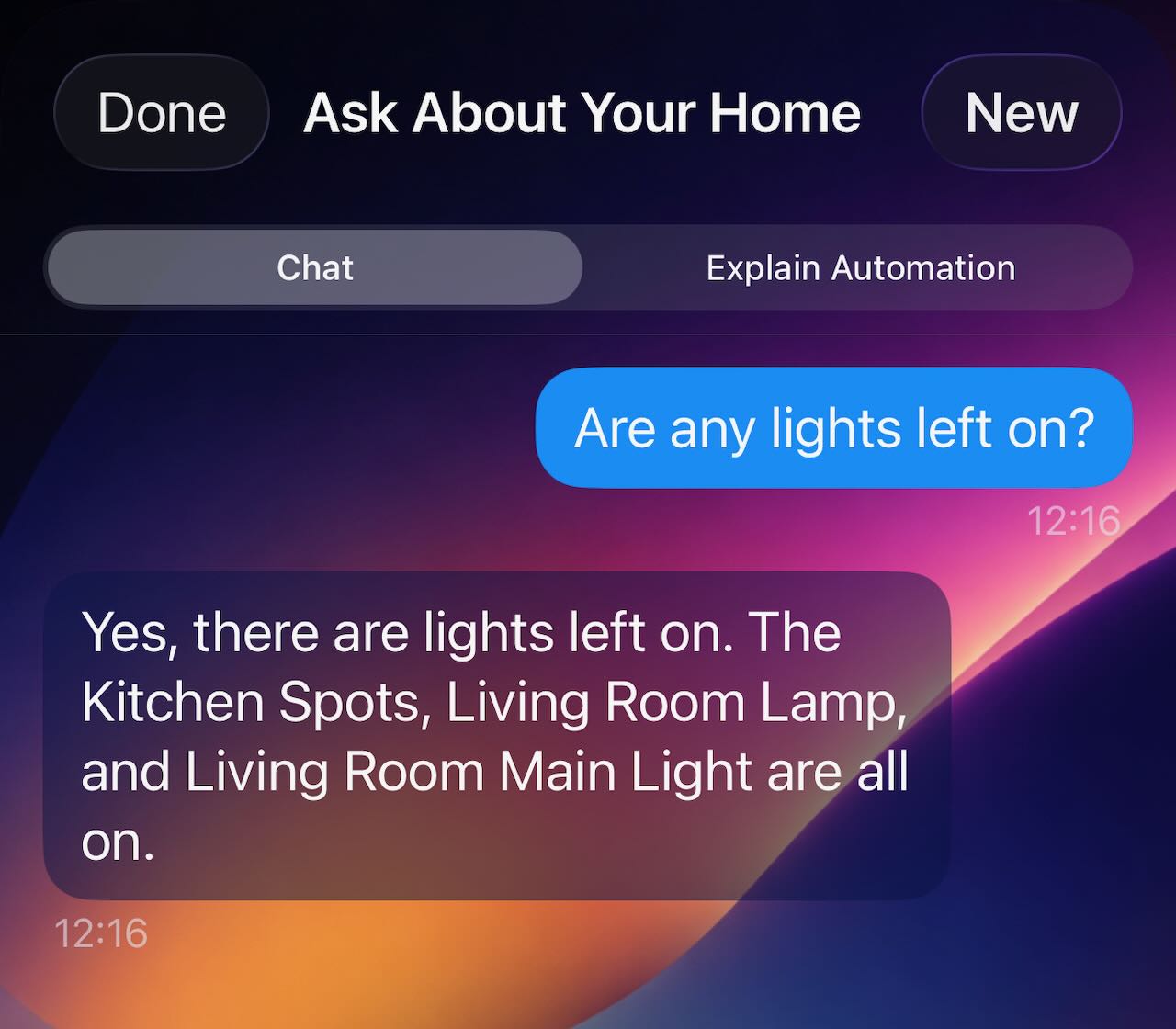
Ask About Your Home
Have a natural conversation with your home. Ask questions about device status, get room summaries, check sensor readings, or control lights, climate, covers, media and more — all through plain language.
Pro
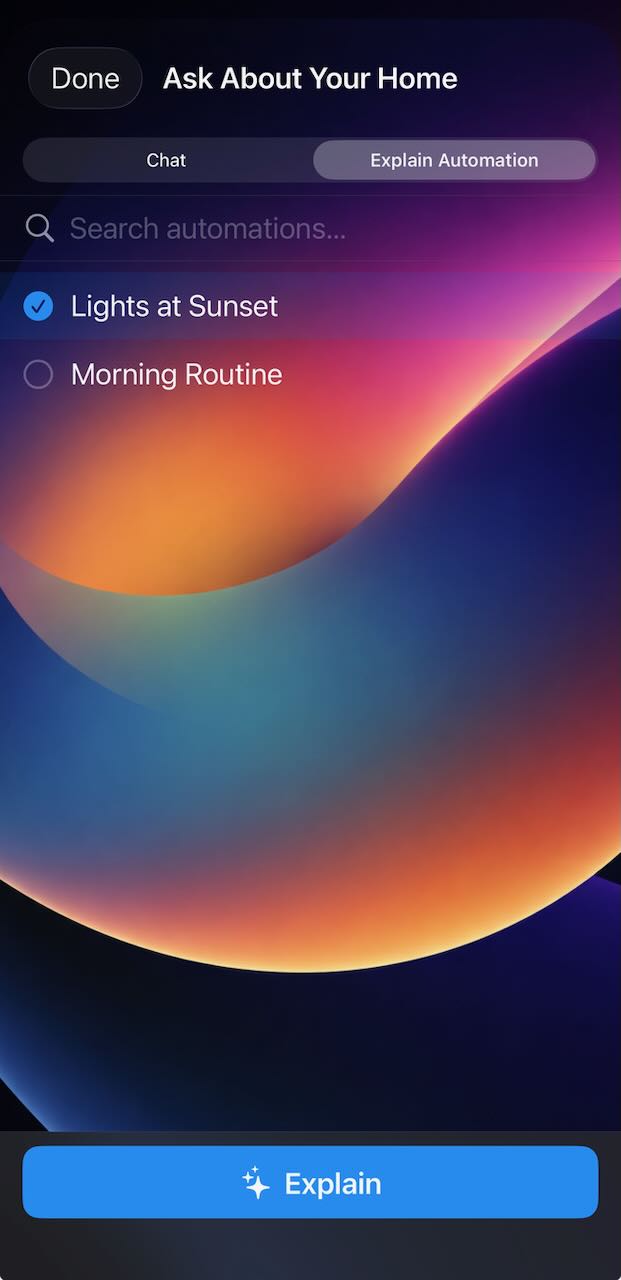
Automation Explainer
Don't speak YAML? No problem. Apple Intelligence reads your Home Assistant automations and explains them in plain language — what triggers them, what conditions apply, what actions they perform, and even warns about edge cases. You can also request suggestions for improvement or analyse automations for errors, duplicate conditions, and more.
Free
Since You Were Away
Get an AI-generated narrative of what happened in your home while you were away. See a timeline of key events, detected anomalies like unusual device activity, and a summary of your home's current state — all built from real event data.
Free
Why Did This Happen?
Tap any event in your activity log and ask Apple Intelligence to investigate. It analyses events within a 30-minute window to identify the root cause and gives you a clear causal explanation — so you always know why something turned on, off, or changed.
Pro
System Log Explainer
Home Assistant logs can be cryptic. The System Log Explainer translates error messages into plain language — telling you what happened, the likely cause, and what action to take. No technical knowledge required.
Pro
Integration Health
See which Home Assistant integrations are running, which have issues, and how many entities are unavailable — all in one overview. No AI required, just a clear health check for your smart home setup.
Apple Intelligence requires a supported iPhone or Mac model with Apple Intelligence enabled — all processing happens on-device. Alternatively, you can use your own API key for Claude (Anthropic), ChatGPT (OpenAI), or Gemini (Google).
Getting started
Up and running in minutes.
No complicated setup. Just point HAHome at your Home Assistant and you're in.
1
Connect
Enter your Home Assistant server URL and log in with OAuth. Your credentials are stored securely in the iOS Keychain.
2
Configure
The setup wizard walks you through picking your devices by category. Select the entities you want to control and organise them into rooms.
3
Control
Your home is live. Tap to toggle, long-press for detail controls, and watch real-time state changes as they happen.
Accessibility
Designed for everyone.
HAHome is built with accessibility at its core, so every user can control their smart home comfortably.
VoiceOver
Every control, toggle and status is fully labelled for VoiceOver. Navigate your entire smart home by touch or keyboard with descriptive labels that include device names, states and values.
Dynamic Type
All text scales with your preferred text size. Increase the font in iOS or macOS Settings and HAHome adapts throughout — menus, controls, labels and detail views all stay readable.
Voice Control
Use Voice Control to operate HAHome hands-free. All interactive elements are accessible via voice commands, so you can toggle lights, adjust thermostats and trigger scenes without touching the screen.
Dark Interface & High Contrast
The dark interface is designed with sufficient contrast ratios throughout. Status indicators use both colour and icons, so no information is conveyed by colour alone. Light and dark modes are fully supported.
⭐ HAHome Pro
Unlock the full experience.
One small purchase. A much bigger home.
Unlimited entities — no caps on lights, climate, covers, media players, switches or automations
Exclusive themes + Adaptive Themes — unlock additional app backgrounds including Adaptive Themes that switch between light and dark automatically
Premium light icons — unlock 52 additional premium light icons on top of the 200+ free icons for lights, switches and covers
Rearrange home tiles — drag and drop to put what matters most front and centre
Share layouts — invite up to 9 people with personalised, encrypted links
Family Sharing — one purchase covers your whole family via Apple Family Sharing
State history — view date-grouped state changes for any entity over the past 1, 2, 3 or 7 days
Ask About Your Home — have a natural language conversation with your smart home powered by Apple Intelligence (on supported devices)
Free tier includes 10 lights, 5 climate, 5 covers, 5 media players, 5 switches and 5 automations. Upgrade to Pro to remove all limits and unlock the full feature set.
FAQ
Questions? We've got answers.
Everything you might want to know before downloading.
Yes — HAHome is a client app for Home Assistant, the open-source home automation platform. You'll need a running Home Assistant instance (on a Raspberry Pi, NAS, Home Assistant Green, or any server) that is reachable from your device. HAHome connects to it via your local network or a remote URL.
No. HAHome is an independent, third-party app. It uses Home Assistant's open REST and WebSocket APIs but is not made by or affiliated with Nabu Casa or the Home Assistant project.
HAHome runs on iPhone and Mac (iOS 26.2+ and macOS 26.2+). One purchase covers both platforms. iOS widgets are also available for quick light control from your Home Screen.
HAHome uses OAuth to log you in securely via your browser. After login, it maintains a WebSocket connection for real-time state updates and uses the Home Assistant REST API to send commands. Your credentials are stored in the iOS Keychain — never in a third-party server.
The free version lets you control up to 10 lights, 5 climate devices, 5 covers, 5 media players, 5 switches and 5 automations. Security cameras and energy monitoring are always unlimited. HAHome Pro ($4.99, one-time) removes all entity limits, unlocks 13 exclusive app themes, a full device icon library, the ability to reorder home tiles, layout sharing with up to 9 people, and state history for any entity (1, 2, 3 or 7 days).
Yes. HAHome Pro is a family-shareable in-app purchase, so one purchase unlocks Pro for everyone in your Apple Family Sharing group.
With HAHome Pro, you can create named groups and generate encrypted invite links (up to 9 people). Each invitee gets a personalised layout — you choose exactly which entities they can see. They open the invite link on their device and import your home in seconds.
Yes, as long as your Home Assistant is accessible remotely. This can be done via Home Assistant Cloud (Nabu Casa), a reverse proxy, or a VPN. HAHome simply connects to whatever URL you provide — local or remote.
HAHome supports lights, climate (HVAC, fans, temperature & humidity sensors), covers (blinds, shutters, garage doors), media players, remotes, switches, fans, security (cameras, door/window/motion/smoke sensors, alarm panels), automations, scenes, scripts, and energy sensors (solar, grid, battery, gas, water). More entity types may be added in future updates.
HAHome supports Apple Intelligence (on-device, free on supported devices) as well as Claude (Anthropic), ChatGPT (OpenAI), and Gemini (Google) via your own API key. Apple Intelligence requires iPhone 15 Pro or later, or Mac M1 or later, with Apple Intelligence enabled in Settings — all processing happens on-device. With an external API key, intelligence features work on any device. Features include Energy Insights, Since You Were Away, and Why Did This Happen? (all free), plus Automation Explainer, Ask About Your Home, System Log Explainer, and Integration Health (Pro).
Yes. HAHome is built with full VoiceOver support, Dynamic Type for adjustable text sizes, Voice Control compatibility, and a dark interface with sufficient contrast ratios. Status indicators use both colour and icons to ensure information is never conveyed by colour alone.
By default, no. HAHome communicates exclusively with your Home Assistant server — no analytics, no telemetry, no tracking. If you choose to use an online AI provider (Claude, ChatGPT, or Gemini) by entering your own API key, entity names, states, and sensor readings are sent to that provider to generate AI responses. Apple Intelligence (the default) processes everything on-device. See our Privacy Policy for full details.